
Download Bookmark Previews – Firefox thumbnail preview extension
Overview
Bookmark Previews is a lightweight Firefox add‑on that transforms a cluttered list of saved links into a visual gallery of thumbnail images. When you have dozens—or even hundreds—of bookmarks, locating the right one can become a time‑consuming hunt through text‑only titles. Bookmark Previews solves that problem by automatically generating a small screenshot of each saved page and displaying it directly in the Firefox Bookmark Manager. The result is a more attractive, easier‑to‑navigate collection that feels like a personal visual library rather than a plain text dump.
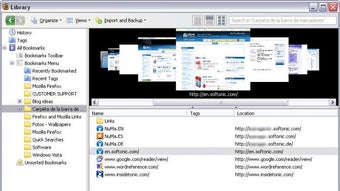
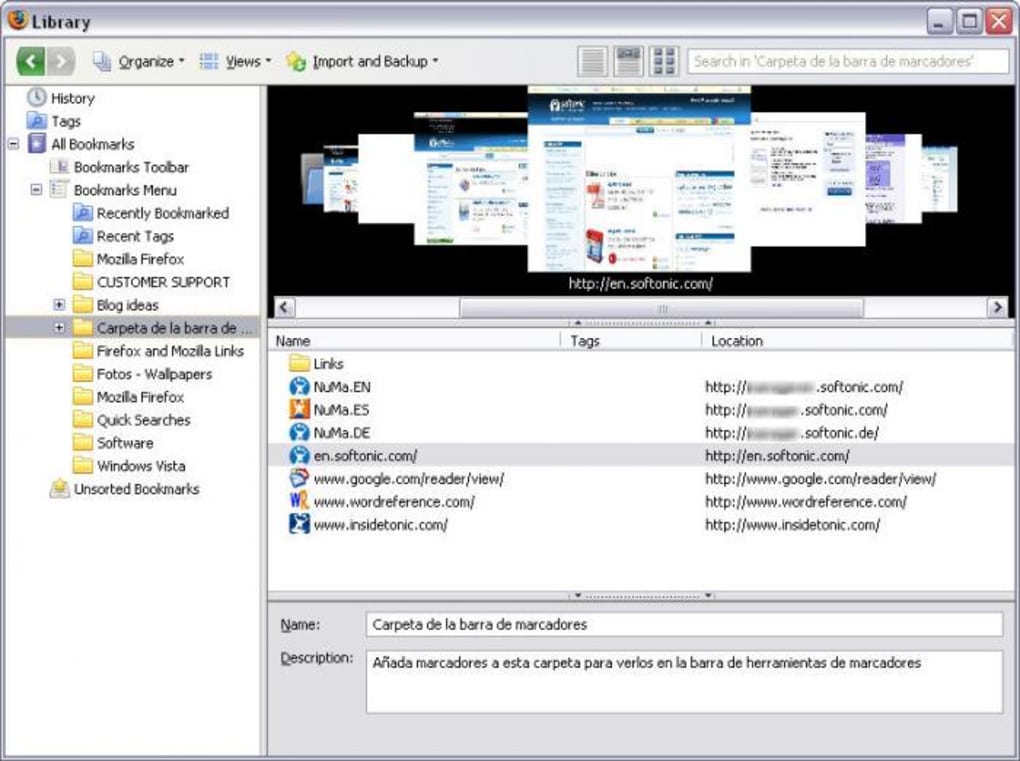
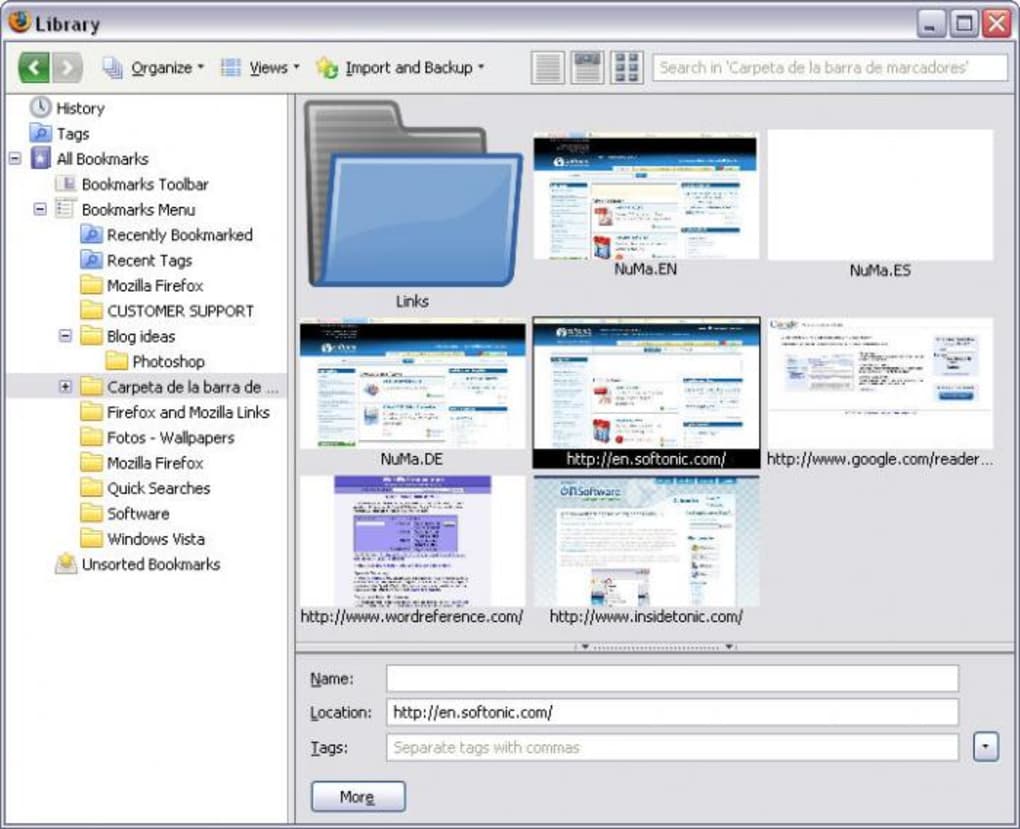
The extension does not replace the core functionality of Firefox’s bookmark system; instead, it enhances the existing manager with three distinct viewing modes: the classic list view, a grid of thumbnail previews, and a “thumbnail reel” that mimics a Cover Flow experience, allowing you to scroll through images with the mouse wheel. While the add‑on only creates thumbnails for new bookmarks after installation, it also runs a background process that attempts to generate previews for your existing collection the first time you launch it. This may take a few minutes depending on the size of your library, but once the thumbnails are cached, navigation becomes almost instantaneous.
Bookmark Previews is free, secure, and receives regular updates to stay compatible with the latest Firefox releases (including 3.1 and 3.2 alphas at the time of writing). Its small footprint means it won’t slow down your browser, and the visual boost it provides can dramatically improve productivity for power users, researchers, and anyone who relies on a large bookmark repository.
Key Features
- Automatic thumbnail generation: Creates a snapshot of each bookmarked page for instant visual identification.
- Three viewing modes: Switch between standard list, grid preview, and thumbnail reel (Cover Flow‑style) with a single click.
- Mouse‑wheel navigation: Scroll through the thumbnail reel smoothly, making large collections feel like a carousel.
- Background processing: Existing bookmarks are thumbnailed in the background after first run, minimizing interruption.
- Lightweight design: Minimal impact on Firefox performance; the extension only adds visual layers.
- Tooltips and UI enhancements: Hover over a thumbnail to see the page title and URL, improving accessibility.
- Regular updates: Compatibility patches for newer Firefox versions and bug‑fix releases keep the tool reliable.
Beyond these core capabilities, Bookmark Previews also integrates seamlessly with Firefox’s built‑in Bookmark Manager. All new buttons appear within the familiar interface, so there’s no steep learning curve. Users can quickly toggle between views using the toolbar icons, and the extension respects existing bookmark folders and tags, preserving your organizational hierarchy.
Because the add‑on focuses solely on visual enhancement, it does not interfere with synchronization services like Firefox Sync. Your thumbnail cache is stored locally, so it does not bloat your cloud storage, yet you still benefit from a faster, more attractive way to locate your favorite sites when you’re online.
Installation, Usage & Compatibility
How to install
Downloading and installing Bookmark Previews is straightforward:
- Open Firefox and navigate to the official Mozilla Add‑Ons page for Bookmark Previews.
- Click the Add to Firefox button. A confirmation dialog will appear—grant the requested permissions.
- After the extension downloads, click Enable. Firefox may prompt you to restart; do so to activate the new UI elements.
Once installed, you’ll notice three new icons at the top of the Bookmark Manager toolbar. These correspond to the list view, grid preview, and thumbnail reel. Clicking any icon instantly switches the display mode.
Using the extension
When you add a new bookmark, Bookmark Previews automatically captures a 200×150 pixel snapshot of the page. The thumbnail appears within seconds, depending on network speed. For existing bookmarks, the first time you open the manager after installation, a background thread begins generating previews. You can monitor progress via the small spinner icon next to each folder.
To search for a specific site, simply type a keyword in the manager’s search bar. Thumbnails that match the query are highlighted, letting you spot the correct entry visually. The mouse‑wheel scrolling in the thumbnail reel mode offers a tactile way to browse large folders without clicking through multiple pages.
System requirements
Bookmark Previews runs on any desktop operating system that supports Firefox, including Windows 10/11, macOS 10.15+ and most Linux distributions. Mobile versions of Firefox (Android/iOS) do not support this add‑on because the Bookmark Manager UI differs significantly on those platforms.
The extension requires Firefox version 60 or newer. Updates are automatically pushed through Mozilla’s add‑on repository, ensuring you always have the latest compatibility patches.
Pros, Cons & Frequently Asked Questions
Pros
- Instant visual identification reduces time spent searching for bookmarks.
- Lightweight and does not noticeably affect browser performance.
- Three intuitive viewing modes cater to different workflow preferences.
- Background thumbnail generation for existing bookmarks keeps interruptions minimal.
- Free, open‑source, and regularly updated for security.
Cons
- Thumbnails are only generated after the extension is installed; older bookmarks may take minutes to appear.
- Occasional failures to create a preview for pages with heavy JavaScript or login requirements.
- Not available on Firefox for Android or iOS, limiting cross‑device consistency.
- Local thumbnail cache can consume several megabytes of disk space for large collections.
FAQ
Does Bookmark Previews sync thumbnails across devices?
No. Thumbnails are stored locally on each device. The extension works with Firefox Sync for bookmark data, but visual previews must be generated separately on each installation.
Can I disable thumbnail generation for specific folders?
Currently the add‑on does not offer per‑folder toggles. It creates thumbnails for all new bookmarks globally. Advanced users can manually delete cached images from the profile folder if needed.
What happens if a page fails to generate a thumbnail?
The extension will retry the next time you open the Bookmark Manager. Pages that require login or contain dynamic content may never generate a preview, in which case a generic placeholder icon is shown.
Is the add‑on safe to use with private browsing?
Bookmark Previews respects Firefox’s privacy settings. Thumbnails are generated only for bookmarks that you explicitly save, and no data is sent to external servers.
How often are updates released?
Updates are released roughly every 2–3 months, with occasional hot‑fixes for critical bugs. Users receive notifications through the standard Mozilla Add‑Ons update mechanism.
Conclusion & Call to Action
In a world where we juggle dozens of online resources daily, a visual cue can be the difference between frustration and efficiency. Bookmark Previews brings that visual cue to Firefox, turning a plain list of URLs into a vivid gallery you can skim at a glance. The extension’s straightforward installation, low resource footprint, and trio of viewing modes make it a solid addition for anyone looking to tidy up their digital workspace.
Although it does not sync thumbnails across devices and may stumble on heavily scripted sites, these limitations are minor compared with the overall value. If you regularly save articles, tutorials, or design inspiration, the ability to spot a page by its thumbnail can shave minutes off your workflow each day.
Ready to give your bookmarks a fresh, picture‑perfect makeover? Download Bookmark Previews now and experience a faster, more enjoyable way to navigate your saved web universe.







